How to Use PhotoLimit
An easy-to-use app for managing expiration dates of food and daily necessities
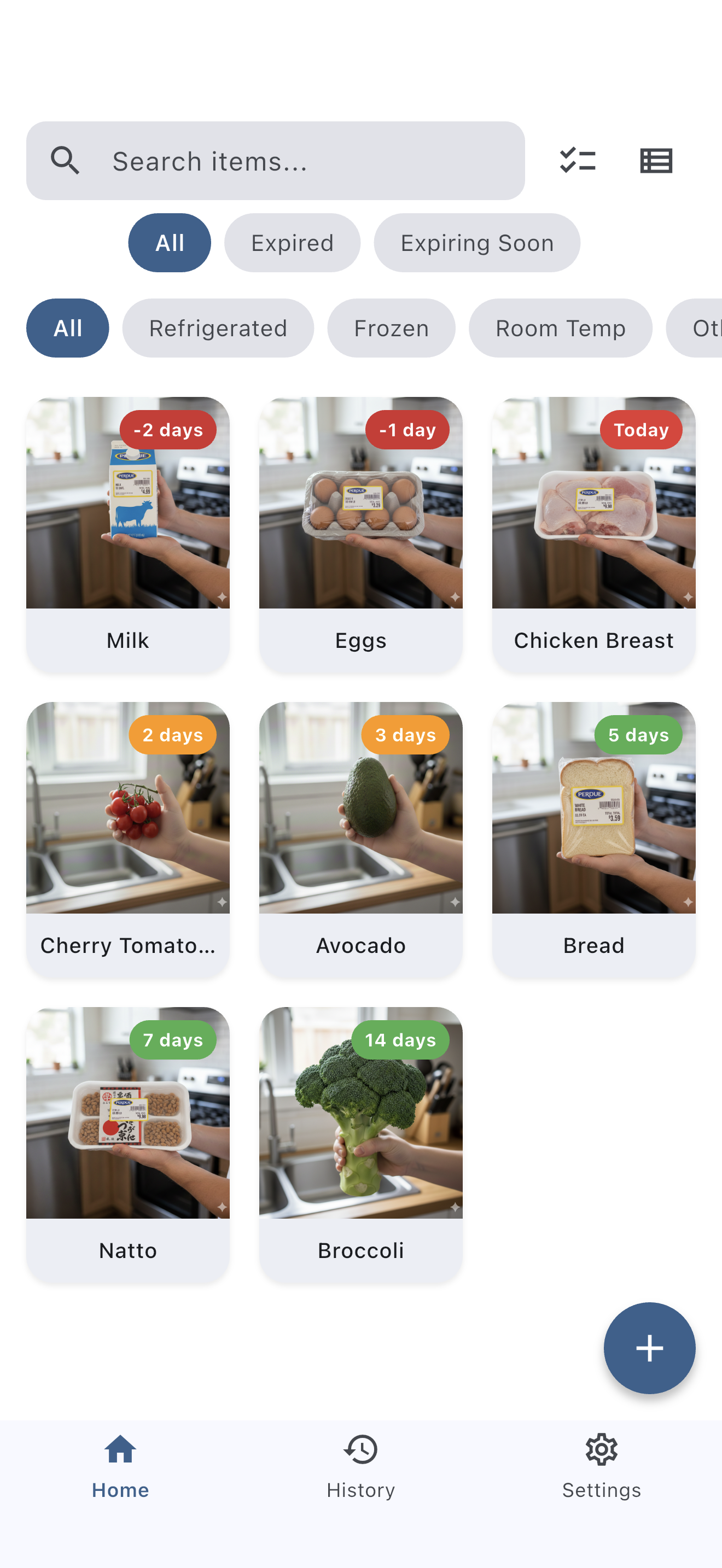
Home Screen
All your registered items are displayed in one view. Badges show the days until expiration, making it easy to spot expired or soon-to-expire items. Use expiry filters, category filters, and product name search to find items quickly. You can also switch between grid and list views.
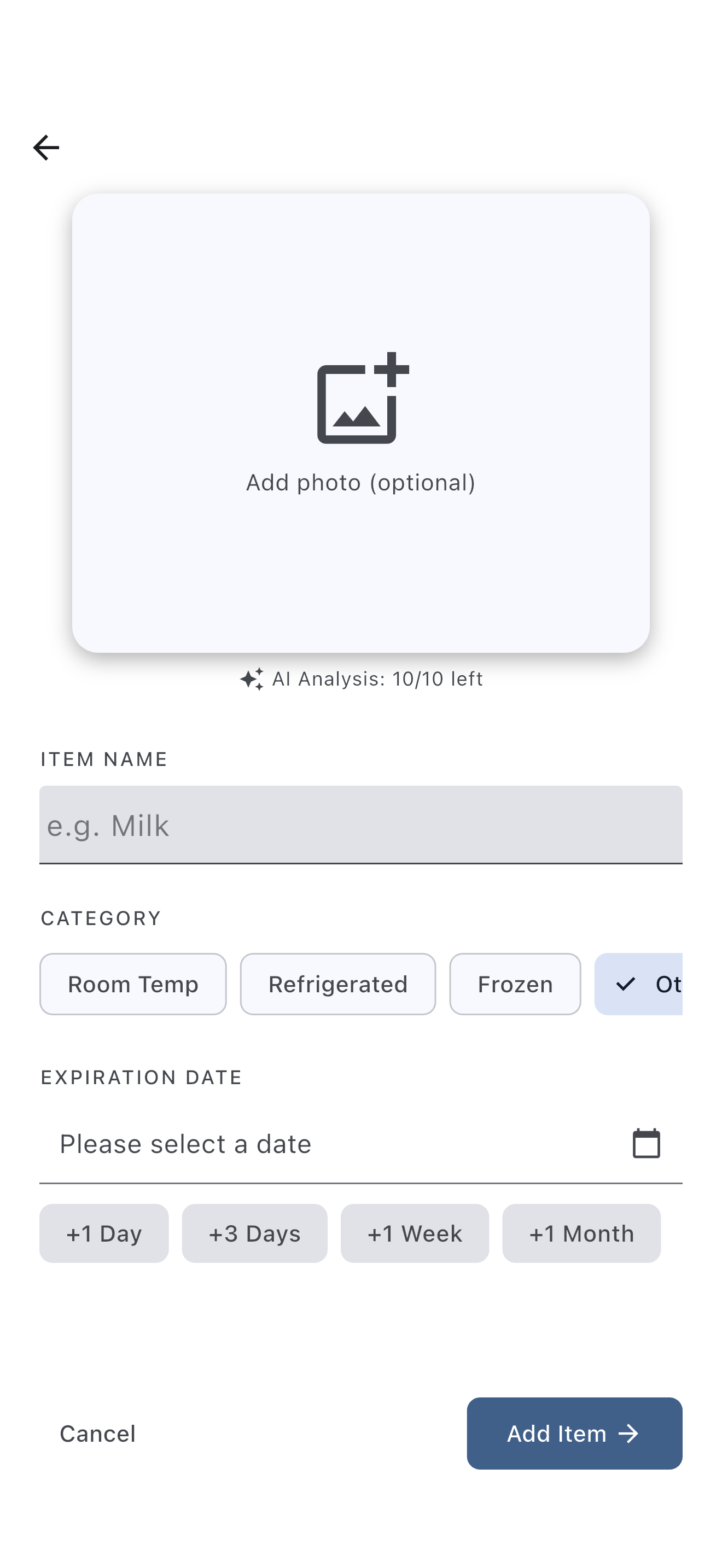
Add Items
Tap the "+" button at the bottom right to add an item. Enter the product name, category (Refrigerated / Frozen / Room Temperature / Other), and expiration date. Photos are optional. Quickly set the expiry date using presets (+1 day / +3 days / +1 week / +1 month).
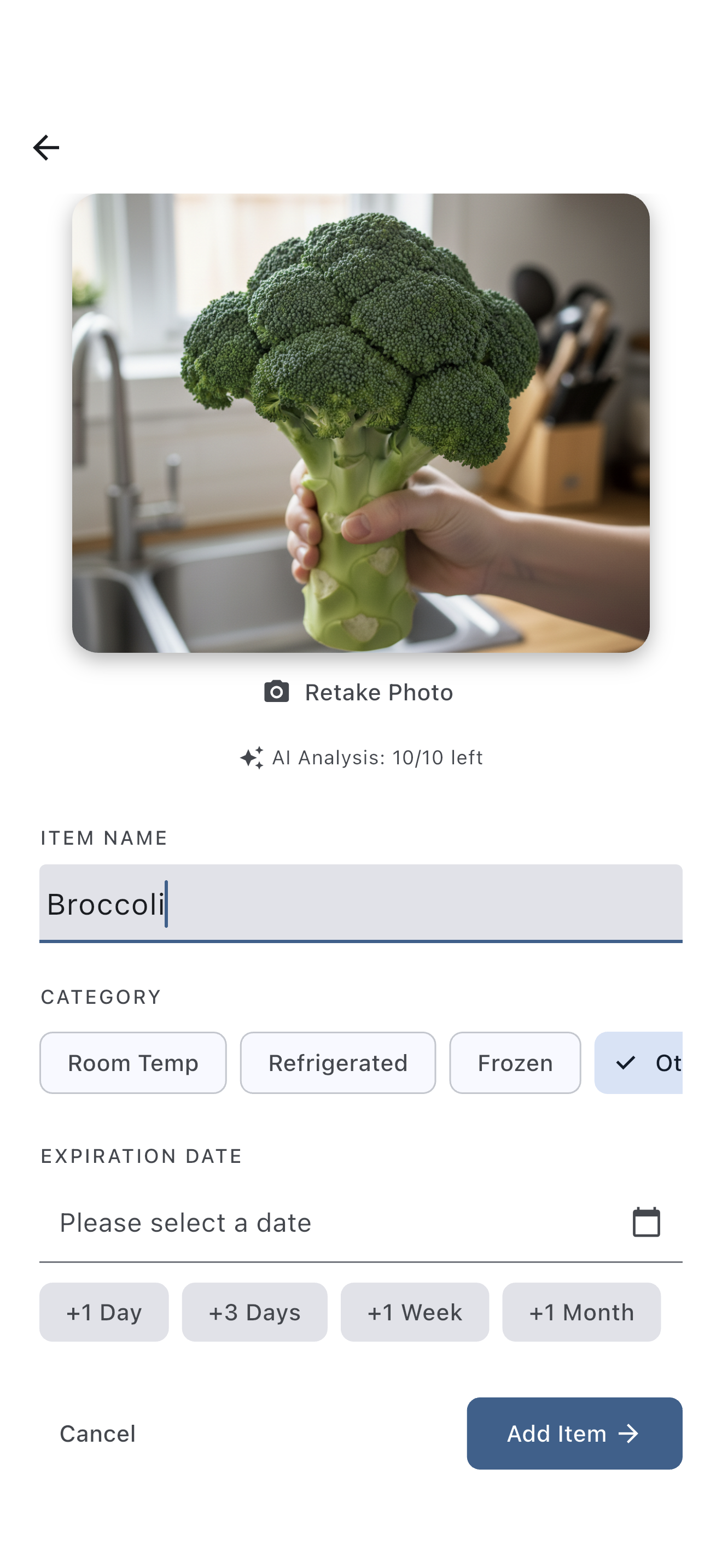
AI Auto-fill
Take a photo and AI will automatically read the product name and expiry date. This saves you the effort of manual input and lets you register items quickly.
Free plan: up to 10 times/day / Premium plan: up to 50 times/day
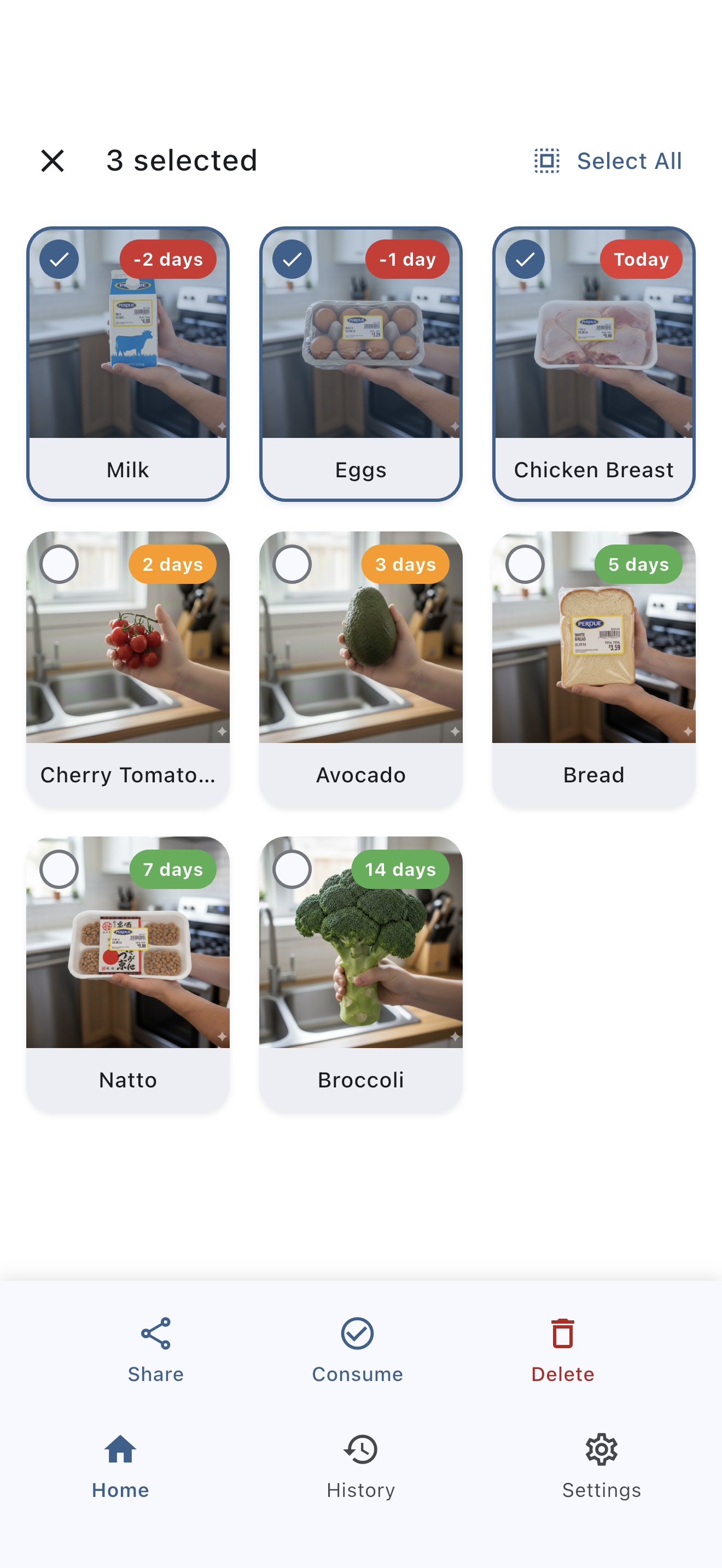
Batch Operations with Multi-select
Long-press an item to enter multi-select mode. You can mark multiple items as consumed, delete, or share them all at once.
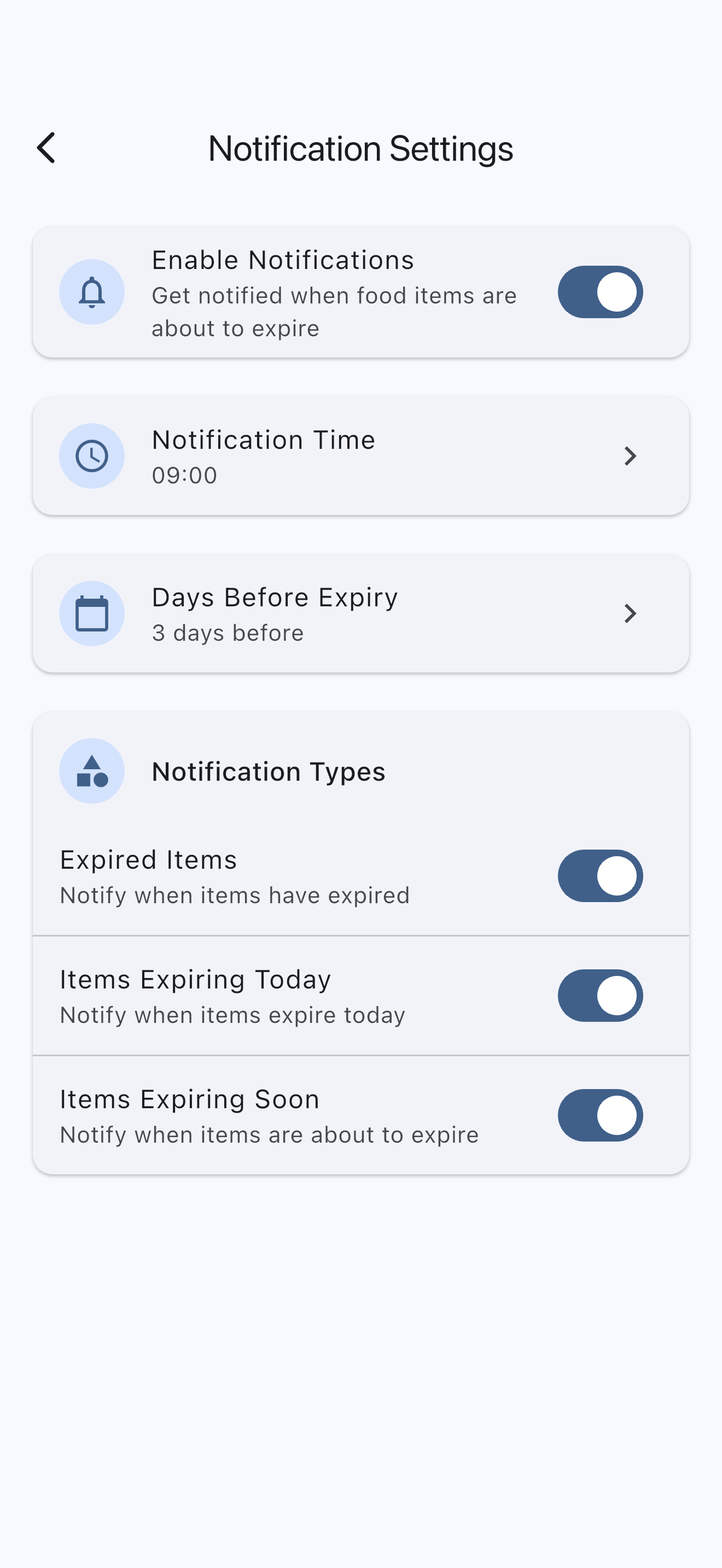
Notification Settings
Get push notifications when items are about to expire. Customize the notification time, how many days before to notify, and the type of notifications.
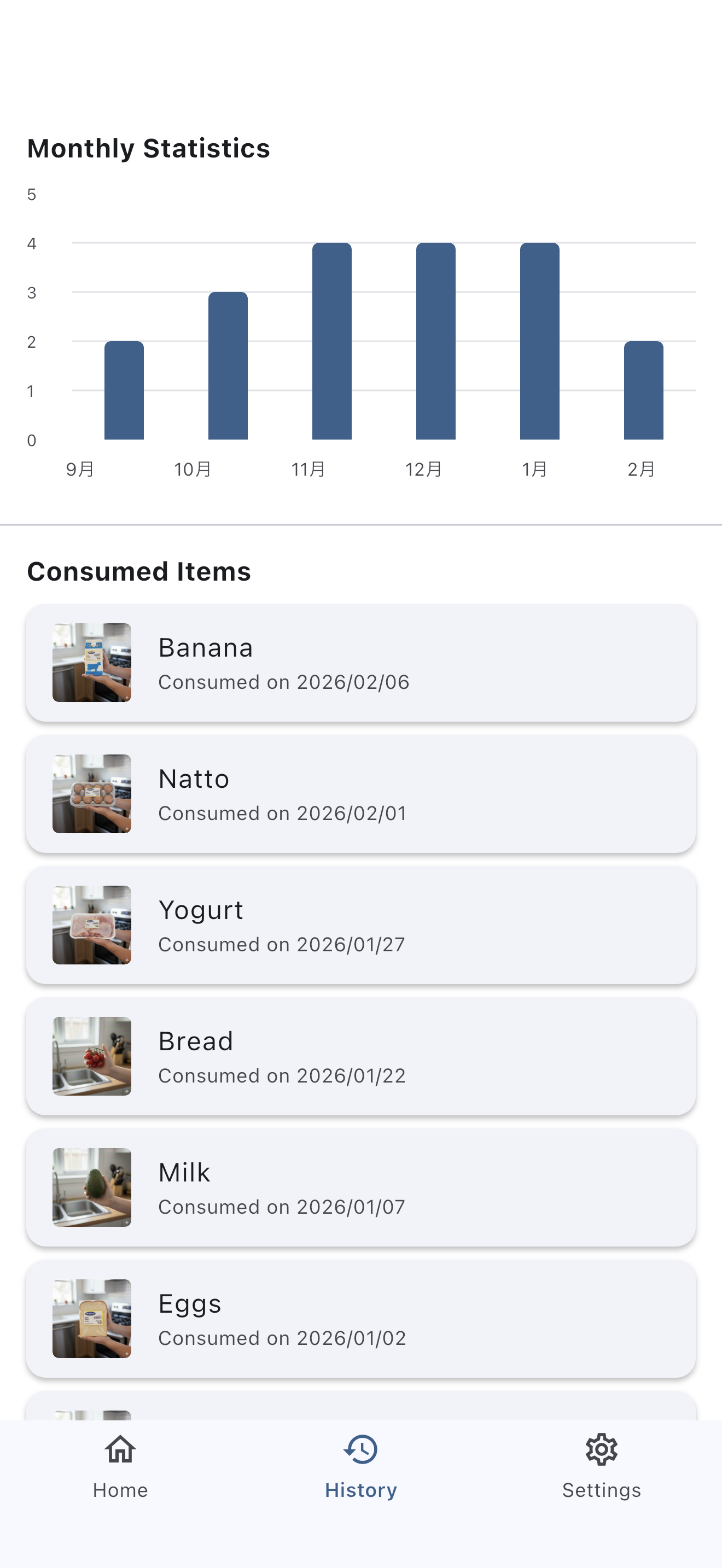
History and Statistics
View the history of consumed items and monthly consumption statistics. This helps you reduce food waste.
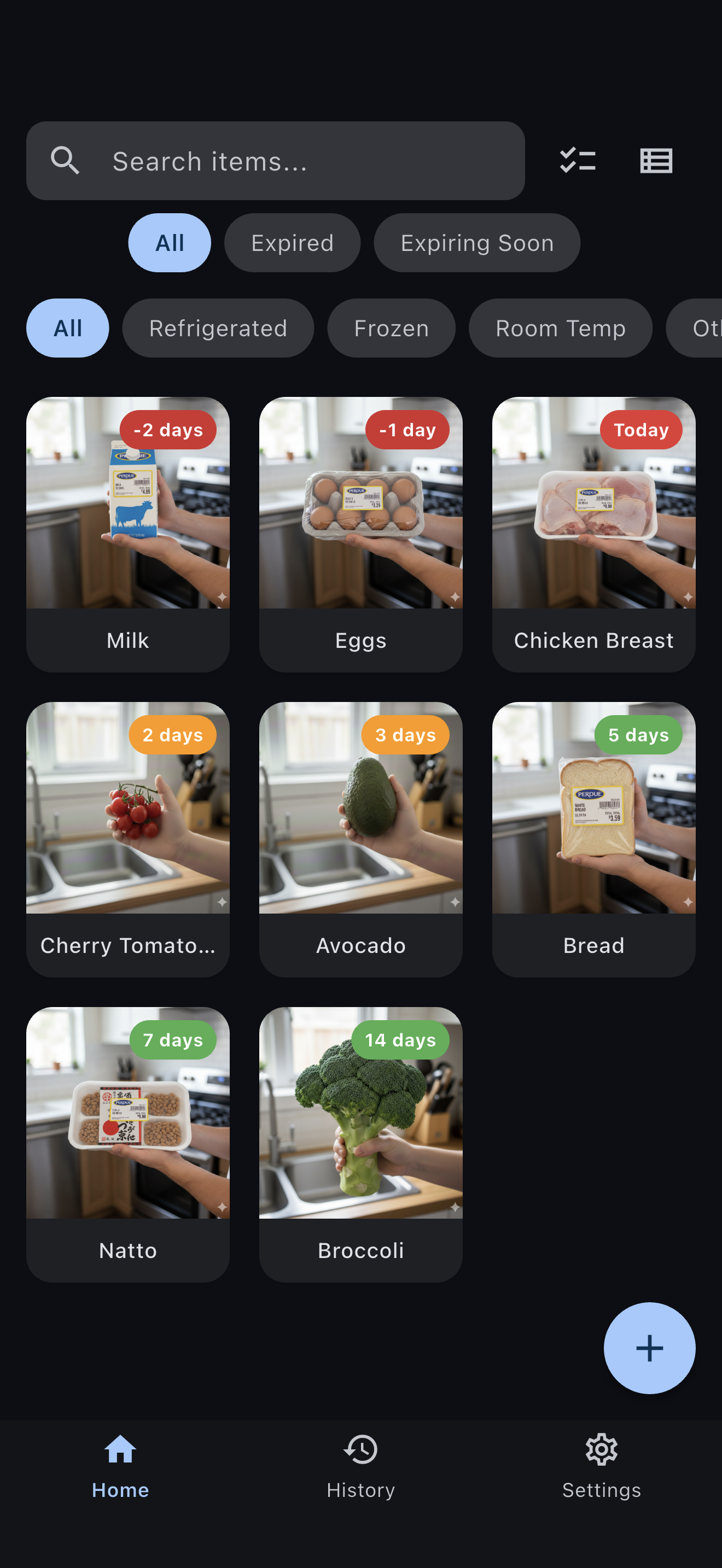
Dark Mode
Dark mode is fully supported. Switch between Light, Dark, and System from the settings screen.
Frequently Asked Questions
Where is my data stored?
All data is stored locally on your device. It is never sent to any server.
Is there a limit on AI analysis?
The free plan allows up to 10 uses per day, and the premium plan allows up to 50 uses per day. The count resets at midnight each day.
Will my data be deleted if I uninstall the app?
Yes. Since data is stored on your device, uninstalling the app will delete all data permanently.
I'm not receiving notifications
Please check that notifications for PhotoLimit are enabled in your device's Settings app. Also make sure notifications are turned on in the app's notification settings.
What are the premium plan benefits?
The premium plan increases the AI image analysis limit to 50 times per day and removes all ads.
Contact Us
If you have any questions or requests, please feel free to contact us using the form below.
Contact Form